MY FIRST EVER DEMO TEACHING

“In learning, you will teach, and in teaching, you will learn.”

Phil Collins
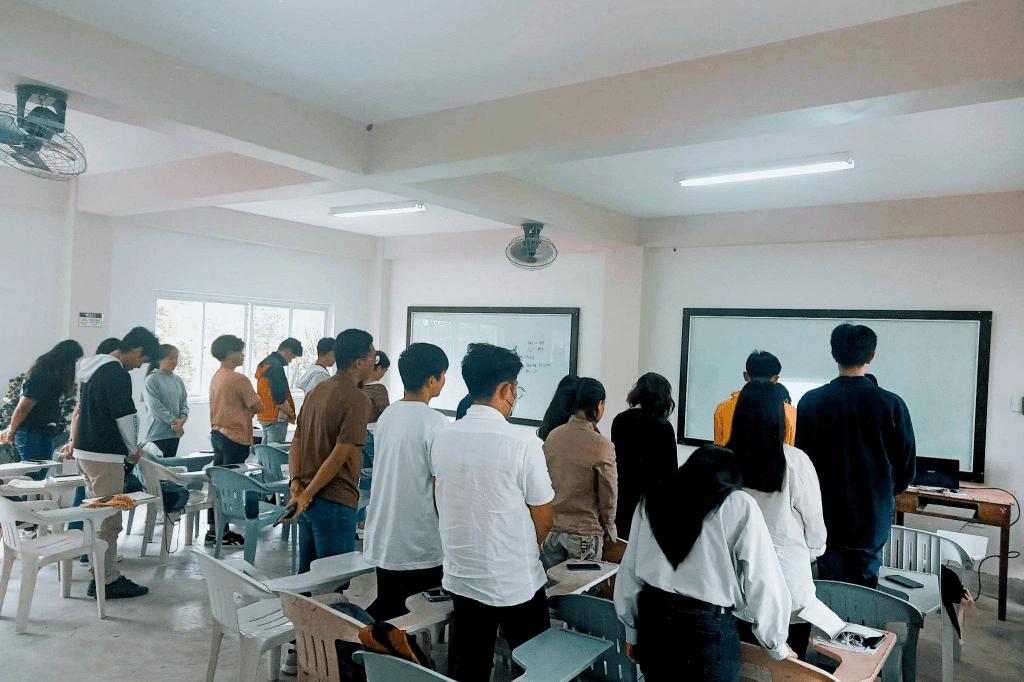
Anxious. Happy. Relieved. Grateful. Proud. I experienced all of these feelings during and after delivering my first demonstration. All of my concerns, which I had ever since I found out that we would be demonstrating our teaching methods in front of actual students, have been replaced by feelings of delight and pride in myself. It is not easy to prepare for a demonstration throughout the entire process, beginning with the creation of a lesson plan and continuing all the way through to the day when the demonstration will take place. The very fact that I am in that circumstance jolts me awake to the truth and compels me to confront the fact that this is how I will be in the years to come.

Effort, Time, Passion, Dedication, and Patience are all essential components as a teacher. If you want to a career in education, you absolutely must possess each of these qualities. To tell you the truth, every single day of that week tested me to my limits. I am so close to giving up, both mentally and physically, but I just can’t. I was under the thought that I wouldn’t make it, but I DID. The third week of January was a week that will stick out in my mind because it was the week that I had my first breakdown of the year as a result of academic issues. These issues included managing the hectic schedule of my online class in addition to the myriad of activities that needed to be completed before the deadline, and also our thesis defense. It’s not just my head but also my entire body that feels like it’s going to explode haha. Since this is how things are done at college, I’ll just have to get accustomed to having a routine like this. Well, college things!

So, getting back to the process of developing a lesson plan, at first I had a hard time figuring out how I was going to begin it, especially when I thought about the various technological tools that I could incorporate into the lesson; however, after a day and a half of hard work, I was finally able to complete it. On the other hand, when I give it to my advisor, she tells me that she is quite busy and doesn’t have enough time to check out our lesson plan. This is completely understandable. Because of this, the only day I will have the chance to make revision to my lesson plan is the day before my demonstration. I was having a lot of trouble and was quite nervous about whether or not I would be able to make it, but all of my concerns were replaced with a sense of relief after I was able to pass my revised lesson plan before the day was out.

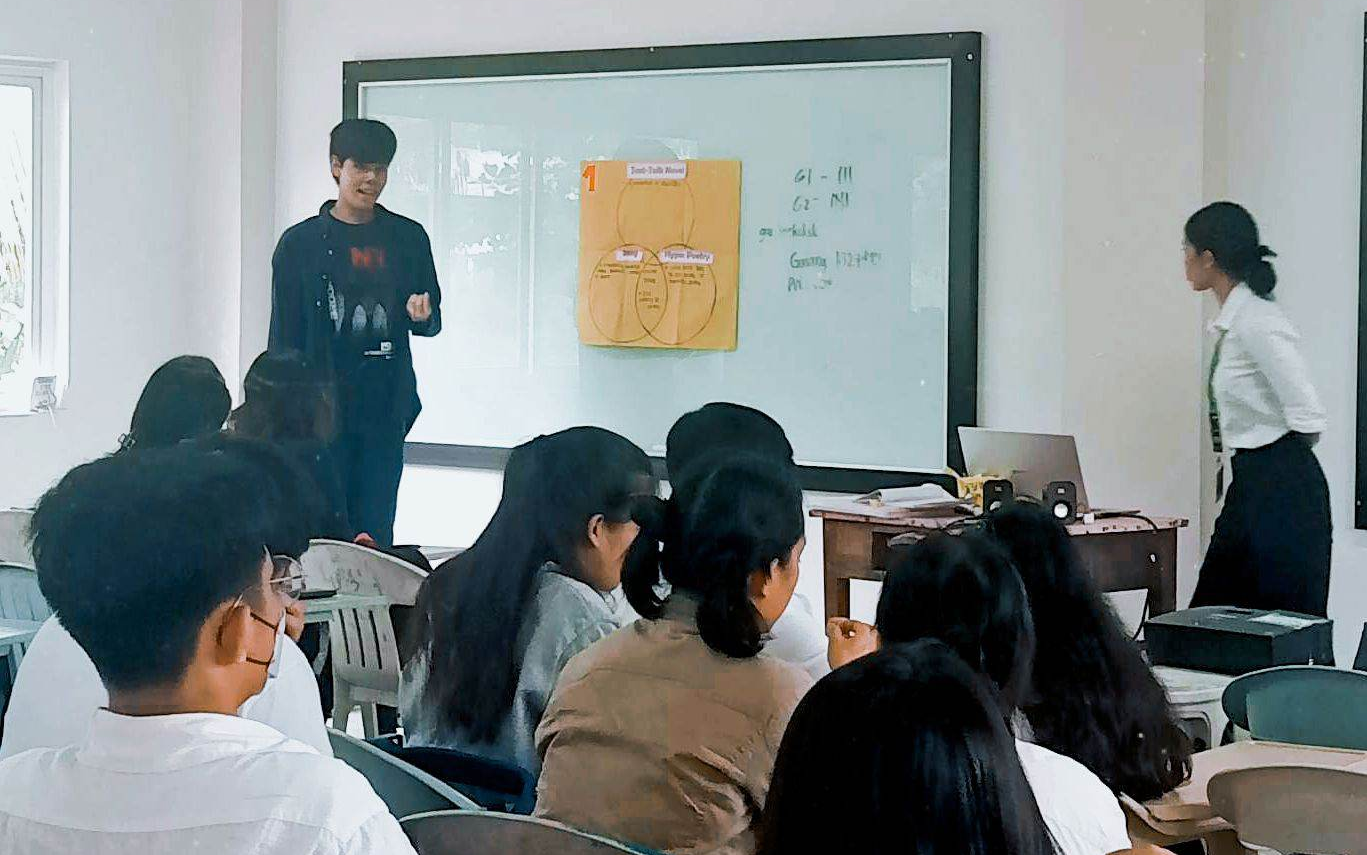
Fast-forward, the day of my teaching demonstration. My anxiety begins to rear its ugly head before I even start. In all honesty, I suffer from social anxiety. When I have to speak in front of large groups of people or audiences, I get anxious, and uncomfortable. So it’s really a question to me  why I decided to take this course that requires significant amounts of social interaction from other people.  Well, my answer for that is, I have some hope that this course will help me in resolving this problem with myself . I feel like teaching will be the cure or will greatly help me to fight this anxiety I usually felt. 

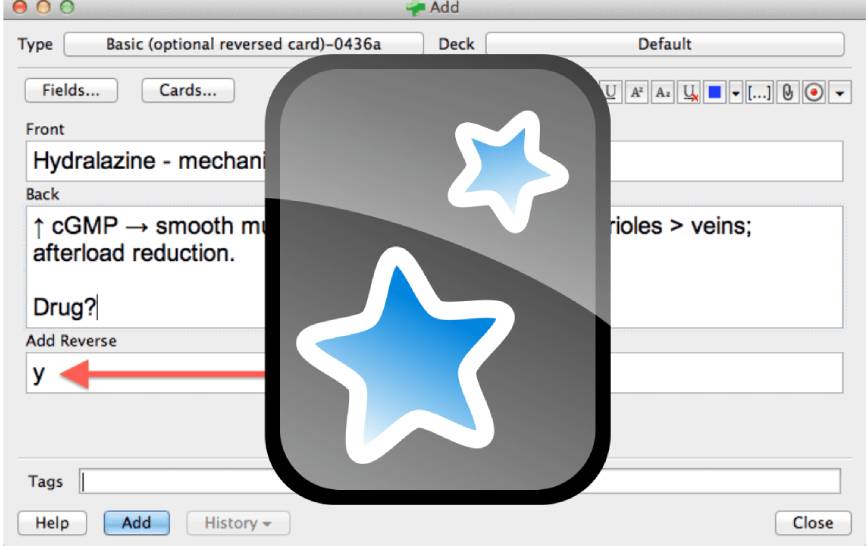
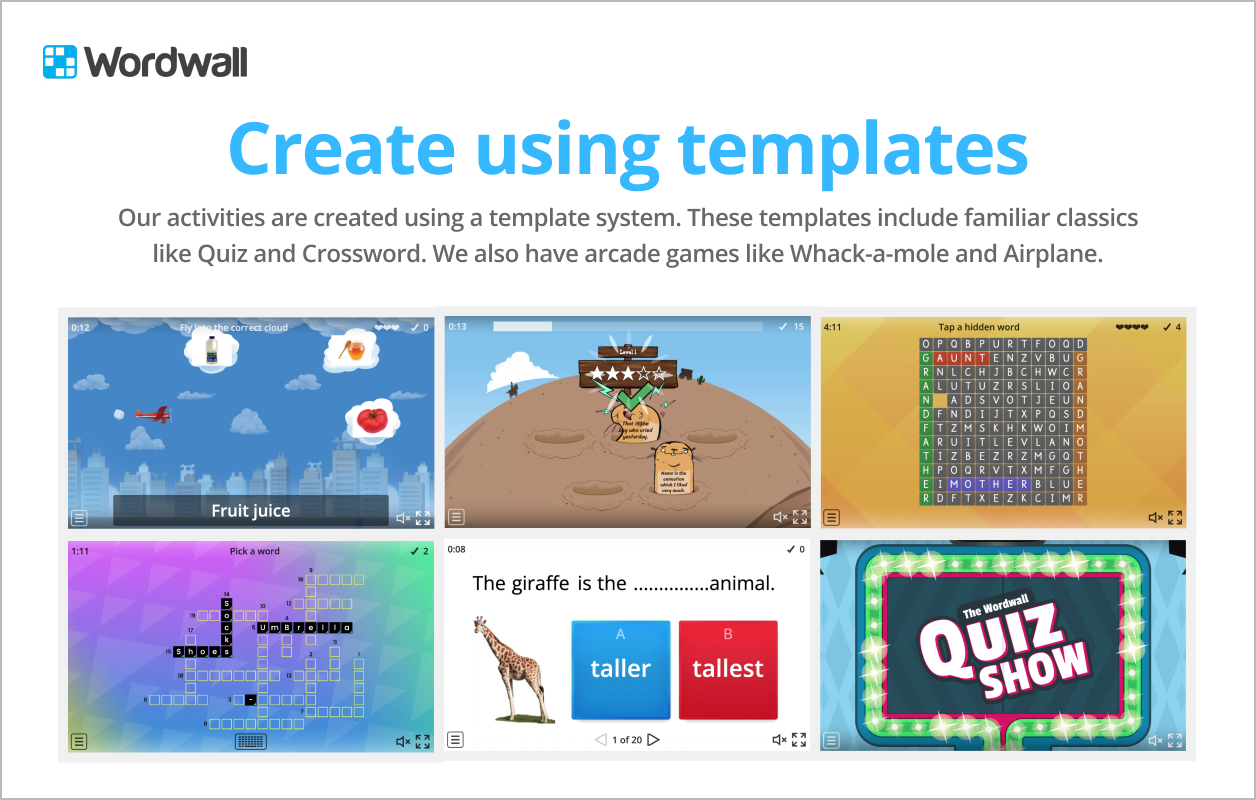
On the other hand, I used Canva PowerPoint, YouTube clips, Anki (a computer program flashcard), Google Form, Graphic Organizer, and Wordwall to offer the technology educational tools that I’ve used in my demonstration. It made me really happy and satisfied that I was able to use all of these tools during my teaching, and I would recommend using all of these instructional tools for an interactive discussion and activities. 

To summarize all I experienced: It was an enjoyable experience that bolsters my confidence in my own abilities. It was the very first time that I had a real demonstration in front of the students and I think it’s  not a bad performance for a first timer. At first, I was concerned about how I would carry out my lesson, particularly given the fact that my students are STEM 12; however, I was relieved to find that their enthusiasm in the class had put an end to all of my concerns. I also believe that the educational materials that I have chosen are engaging, which contributes to my overall sense of fulfillment. So, despite the fact that I feel as though my voice was about to give up due of the long discussion, I am happy to say that I was able to make it until the end. And lastly , I would say that I am proud with myself since I have been able to conquer and defeat my anxieties, worry, and anxiety.

PRODUCING LEARNING RESOURCES USING TECHNOLOGY TOOLS

Through the use of technology, students are able to move from being receptive to producing their own language learning and to experience a more profound and fulfilling immersion in the target language. Students are far more engaged when they have access to technologies that allow them to practice a language both inside and outside of the classroom. 

There are multiple instructional materials that language teachers can use in a language class, which can support the language learning of the students. But what are those instructional materials?

In this lesson, I’ve discovered various instructional materials that are efficient and effective to use or integrate into the classroom.

A. Computer-Assisted Language Learning (CALL)
It is an interactive method of instruction that helps learners achieve their goals of learning at their own pace and ability. In this method, computer technology is used in teaching/learning procedures at all stages, such as presentation, practice, and feedback.

B. Language Instructional Materials Supported by Technology Tools

There are a wide variety of instructional tools available to language teachers, including charts, posters, flashcards, slides, worksheets, forms, pamphlets, brochures, cartoons, journals, and bulletin boards. Now, thanks to a number of available resources online, it’s not only possible but also easy for a teacher or student to create one. When it comes to education and training in the 21st century, technology is an incredible tool; we need only seize the opportunities it offers and apply them wisely and effectively.

As part of this lesson, we completed an activity in which we applied what we had learned about incorporating technology-based instructional materials into a previously developed learning plan. In this activity, we created only three such instructional materials.  Of course, when selecting technology-based instructional materials, it is important to keep in mind how well they align with the lesson’s learning objectives.

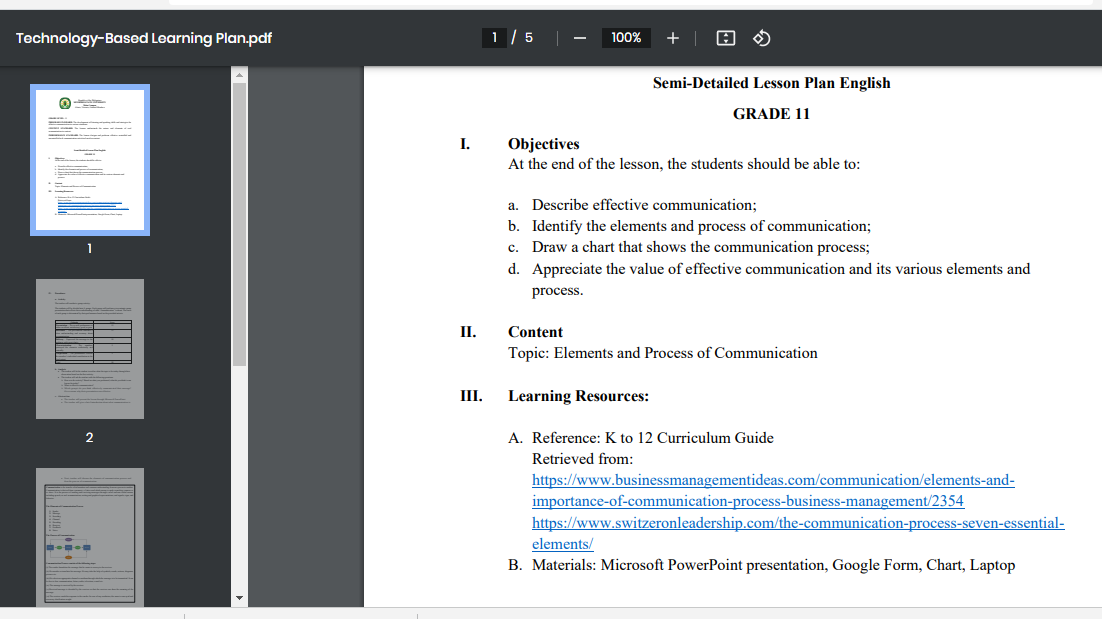
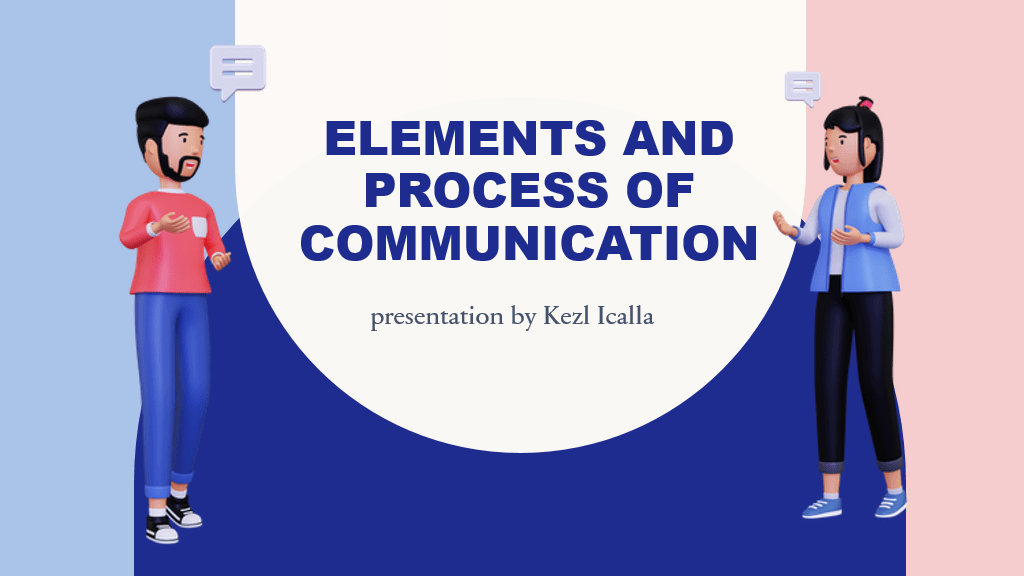
This is my learning plan; in fact, I created a new learning plan specifically for this, and the lesson I selected is titled “The Elements and Process of Communication.” Considering the learning objectives for my lesson plan, I created Microsoft PowerPoint presentation, Google Form, and Chart as my three technology-based IMs.


Microsoft PowerPoint presentation

This presentation is the tool intended for the class discussion about the lesson.

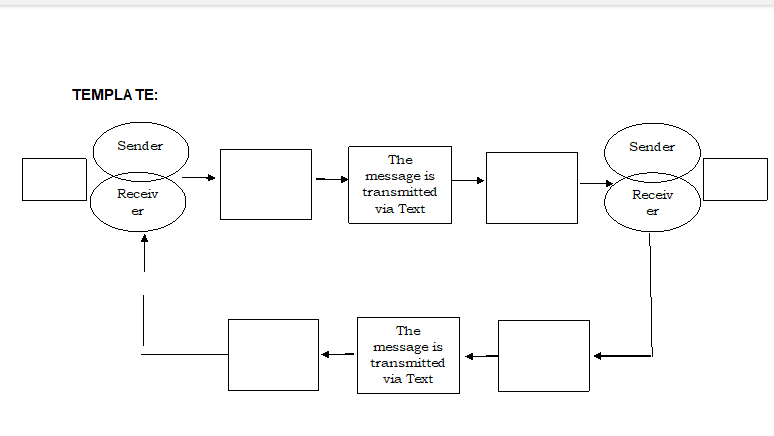
Instructional Chart

This is the second instructional material I chose, in which it will be used by the students’ activity where the students will indicate the elements of communication.

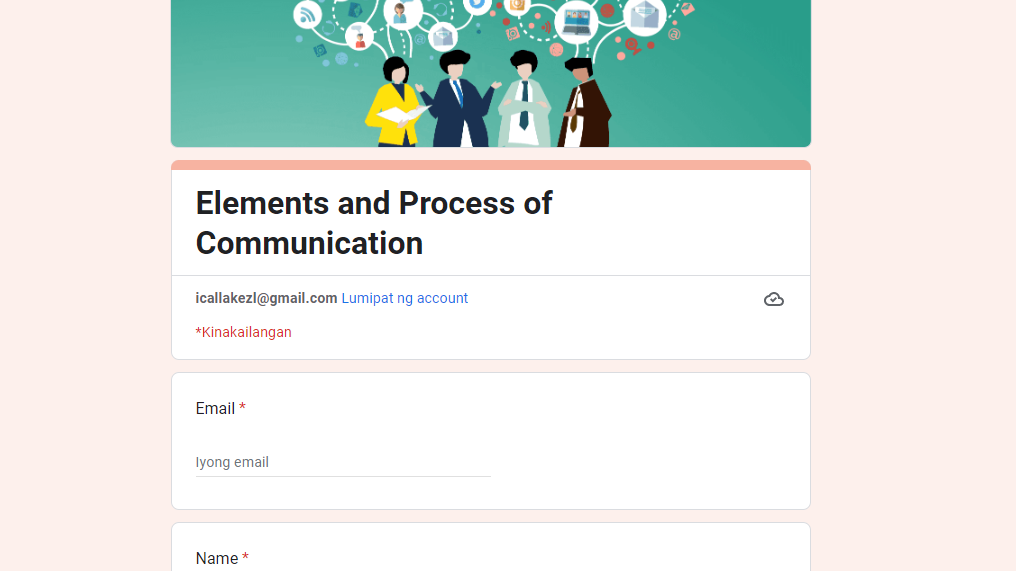
Google Form

This last instructional material is the Google Form in which planned to use in the evaluation part of the students.

All in all, I think that with the aid of modern technological tools, I make good use of all of these materials. Evidently, t he use of technology to stimulate and enable discussion threads is, without a doubt, a win-win situation. Teaching and learning can both gain from and be strengthened by the incorporation of technology. It’s an incredible to be a teacher developing a curriculum, what with all the new tools available to them and the promise of even more to come from innovations.

PRODUCTIVITY SOFTWARE APPLICATIONS FOR LANGUAGE TEACHING AND LEARNING

There are numerous different computer application software programs available for language learning. These programs assist language learners in their pursuit of continual professional development, which ultimately leads to the development of their own unique language style. Hence, technology has allowed for a more extensive and rewarding engagement in the target language, turning students from passive recipients into active learners.

In discussing this lesson by our teacher, I discovered the commonly used productivity tools which includes the following:

1. Word Processing Software – Assistive technology in the form of word processing software can help students who have difficulty writing focus instead on the essentials of their paper rather than technical details. So, teachers can employ word processing software by introducing students to the program’s features and demonstrating how they can be applied to both independent and group writing assignments. However, teachers must ensure that the software they use is appropriate for the students’ skill levels and the assignments they will be doing. Live collaboration on writing assignments is made easier with online word processors, and those that are also publishable provide a platform for students to disseminate their works.

2. Spreadsheets – are designed to organize and manipulate numerical data, a term that stems from an accountants ledger for keeping records (Roblyer & Doering, 2012). Excel and other database programs are widely used in classrooms across all academic subjects because of the myriad of ways they may be put to use in facilitating project-based learning. Some educators make effective and efficient use of them in the classroom, while others see them as little more than gradebooks or attendance recorders. So, spreadsheet and database software, like any other technological instrument, has the potential to be a powerful and adaptable learning aid if used correctly.

3. Presentations – PowerPoint presentations are a great way to provide students visual materials for class and get them engaged in studying. It’s a great tool for conveying the lesson’s outline, since it may help with information organization and structure, format management, and visual aids for your students. As we all know, part of being a student is having many presentation.  For this reason, the ability to effectively convey information is a crucial skill for students to possess. The same with educators where presentations are extensively utilized to convey information in both virtual and physical classroom settings.

In our activity in this lesson, we make a PowerPoint presentation in Microsoft Presentation and a pamphlet or brochure in Microsoft Word. The content is the same as the Steps of Teaching Reading. However, it is challenging to create a pamphlet using Microsoft Word. In our today’s generation, we are more engaged using an application, website, or software to create a variety of presentations or any type of visual document, such as Canva, Adobe Express, and others. They are more convenient and easy to use as they offer a variety of templates we can use.


It was really a struggle for me to create this activity. It takes patience, effort, and time to think about ideas on how to lay out the information I’ll put. So, while I was doing that activity, I realized that it’s really helpful to have a productivity tool we can use online to make everything easy or less hassle. Actually, I love editing, and every time I’m editing something, Canva is what I always use. It makes me feel confident in my output as I can show my creativity and effort there.

INTEGRATING ACTIVE LEARNING APPROACHES IN LANGUAGE LEARNING

To better prepare students for the challenges of the modern world, active learning approaches encourage students to actively participate in a variety of tasks designed to foster the creation of new knowledge, the interpretation of existing knowledge, and the cultivation of other necessary 21st-century skills. In this lesson, I’ve learned three active learning approaches in language learning: inquiry-based Learning, problem-based Learning, and project-based Learning.

In my viewpoint, the purpose of Inquiry-based Learning is to engage students in meaningful ways, such as through research and deep questioning. It’s a method of teaching that emphasizes the importance of solving problems and gaining knowledge through direct experience. Problem-based Learning, on the other hand, is a teaching method in which complex real-world problems are used as the vehicle to promote student learning of concepts and principles as opposed to the direct presentation of facts and concepts. Lastly, Project-Based Learning in which is a teaching method in which students learn by actively engaging in real-world and personally meaningful projects.

Thus, as a teacher, I must make my students know that they can take advantage of all the total access in modern society, especially with the help of technology. There is a multitude of information, and; they need only learn to become inquisitive and receptive to new things in order to make the most of their educational opportunities. In addition, as a teacher, I may also take advantage of technology in terms of using a variety of instructional materials in implementing active learning approaches that depend on the language learning classroom.

As part of our activity in this lesson, our teacher gave us a task about finding different language competencies in every language lesson in our chosen Curriculum Guide that is suited for Inquiry-based Learning. After that, I assessed what type of inquiry I would be using in creating core questions that learners might be asked to answer. What favors me in doing this activity is that we had a chance to choose whatever learning competencies we wanted freely. It makes me also realize that these sets of questions I created are possible questions that my students can ask or what they should answer or achieve throughout the lesson. My preference for this activity stems from the fact that we were given the option to focus on whichever set of learning competencies we wished. It also helps me to see that the questions I posed might be ones my students ask, as well as what they should respond to or accomplish by the end of the course.

CHARACTERISTICS OF EFFECTIVE AND EFFICIENT INSTRUCTIONAL TOOLS

Understanding a language cannot be achieved solely by the use of technology. Therefore, well-designed and properly constructed instructional materials that incorporate information and communication technologies tend to be the most effective. Because of this, it is necessary to carefully prepare the IMs to ensure that they are suitable for the language objectives of the course. In English language education, an emphasis on English language competencies should also be placed on planning, as well as the construction of an information and communication technology (ICT) strategy plan, action plans, and strategic intervention materials.

Accordingly, I learned from this lesson the different characteristics of an effective instructional tool in the classrooms and the significance of Universal Design for Learning (UDL) and its principles. The characteristics of an instructional tool that is effective in the classrooms that should be considered are it enhances instructional effectiveness, promotes active Learning, develops critical thinking, accommodates differentiated instruction, is motivating, and is multisensory. These characteristics can be the teachers’ guidelines in developing IMs to have effective teaching and Learning. Additionally, I learned what Universal Design for Learning (UDL) is. I found out how important the role of UDL is in language teaching as it extends the ideas of accessibility and inclusion beyond the physical environment, allowing teachers to create lessons that are accessible to special students with a wide range of skills and interests. Accordingly, I also discovered the 7 Principles of Universal Design cited by the National Disability Authority (2020). It involves equitable use, flexibility in use, simple and intuitive use, perceptible information, tolerance for error, low physical effort, and appropriate size and space for approach and use.

Regarding the activity we did in this lesson, we read a sample of the learning plan again, entitled “We, Filipinos are Mild Drinkers.” By means of this, I gave some comments and suggestions on how it may improve, guided by the principles of ICT integration in language teaching. Moreover, being guided by the standards and the principles of ICT integration and lesson planning principles taught in this lesson, I was able to encode daily objectives in this learning plan and submit these using the course Learning Management System Portal. Honestly, it was pretty challenging, and I was glad I was able to compose learning objectives on my own, considering, of course, how I, as a teacher, for example, will execute the lesson throughout the week.

ICT PEDAGOGY INTEGRATION IN LANGUAGE LEARNING PLANS

ICT influences every aspect of human life. They play salient roles in workplaces, in business, education, and entertainment. Moreover, many people recognize ICTs as catalysts for change that include the change in working conditions, handling and exchanging information, teaching methods, Learning approaches, scientific research, and in accessing information communication technologies. (Ratheeswari, 2018)

Indeed, ICT is essential in the modern classroom as it enables students to gain the skills necessary for the 21st century in a way that is both interesting and pertinent to their lives. For this reason, the teacher should establish or promote a balance between the pedagogical and technological aspects of incorporating ICT into classroom instruction. So, it enlightens me how implementing information and communication technologies improves the quality of the instructional process and makes it easier for teachers to carry out their duties. Additionally, ICT is helpful as it assists teachers in developing engaging classes and broadens the demographics of students who can benefit from an education.

In this lesson, I also discovered different frameworks that may serve as a guide in integrating ICTs in developing learning plans to lesson plans in the different subjects, particularly in developing learning plans or lesson plans in language education. It includes the Conversational Framework of Laurillard (2002), Three Fundamental Elements of ICT Integration by Wang (2008), and the Categories for Information Communication and Technology in Teacher Training.

Laurillard’s Conversational Framework presents how teaching events in language classrooms can be thoroughly related to their language learning events. There are five key teaching and learning events in the framework which are identified as acquisition, discovery, dialogue, practice, and creation. On the other hand, the Three Fundamental Elements of ICT Integration by Wang (2008) consist of pedagogy, social interaction, and technology. In 21″ Century classrooms, the three components: of pedagogy, social interaction, and technology are needed in an ICT-based learning environment. Lastly, the Categories for Information Communication and Technology in Teacher Training in which can serve as a guide in organizing various ICT teacher training efforts into four categories, including ICT as a main content focus, ICT as a core delivery technology, ICT as a part of content or methods, and ICT as facilitating or networking technology.

Incorporating the activity we did in this lesson, we read an example of ICT Integrated Learning Plan in English and Filipino. After reading it, we identify and describe the salient part of the learning plan. As a result, I came up with nine essential parts of the given sample learning plan, including the Reporter’s Notebook, Targeted Philippine Basic Education Curriculum Competencies, Unit Summary, Student’s Objectives/ Learning Outcomes, Daily Procedure, Pre-requisite Skills, Materials, and Resources Required for the Unit, Accommodation for Differentiated Instruction, and Student Assessment. It was actually my first time analyzing or assessing the parts of a learning plan. At first, I thought the lesson plan and learning plan were the same, but I found out they were not. I’m glad I had a chance to do this activity, as it helped me become more familiar with or analyze a learning plan. Furthermore, as part of my recommendation for this sample learning plan, I recommend that when developing a learning plan for language teaching and Learning Learning, it must be implemented on both the pedagogical and technological levels, with much emphasis on pedagogy. I believe ICT has the potential to enhance educational access, quality, and efficacy. Therefore, incorporating this principle of ICT integration into the pedagogy creates a dynamic environment in which both teachers and students may acquire the linguistic and technological competencies necessary to succeed in the 21st century.

STUDENT SAMPLE PROJECTS USING OPEN-ENDED TOOLS​

When you’re looking for ways to foster student engagement in the classroom, open-ended tools offer authentic approach for teachers. Students’ knowledge can be demonstrated through a range of open-ended assessment strategies that can be implemented in the classroom. Teachers and students alike benefit from the increased flexibility and efficiency afforded by these tools. An open-ended tool is a great method to push both students and teachers to adapt their communication strategies to meet the needs of the class.

Additionally, teachers can help students become more efficient with digital writing by taking use of the digital technologies that facilitate collaboration and communication. By means of this, there are a variety of open-ended tools that students as digital authors can use in publishing or sharing their own creative works. In fact, open-ended tools have beneficial purposes for digital authors, such as Language Learning By Web Publishing, Enhancing Language Skills via Digital Storytelling, and Enhancing Language Skills via E-mail Activities.

In this lesson’s activity, we reviewed websites that teachers may utilize to facilitate language learning, and I’d want to share it with you since I think it could be useful.

I. Language Learning Via Web Publishing​

a. Diary Project – this digital authoring website is really simple and easy to access, and I think any year level can understand how to use it and also its purpose. Also, there is no need to sign up in order to use it. The students can use this as their online diary and read some diary entries with different categories. However, no matter how convenient to use it, I won’t recommend this to language teachers; for some reason that it would be hard for a teacher to identify who are the students who really submitted their entries. Honestly, I don’t think it’s worth of time to use for language learning as a digital diary. I think it would be better if there were other websites for students’ diaries that can foster their creativity in making their diaries.

b. Cyberkids – the design of this website is really for kids ages 7-12; however, they just don’t maximize the size of the whole site; the background is too large, and it almost occupied more than half of the website and also there’s a lot of ads around. I see that this website encourages the kids to share their creative works by submitting their original art, multimedia, music, stories, and articles. They can also visit this in reading works and playing online like brain teasers. However, I wouldn’t recommend this for teachers to use in their language teaching because of the fact that the site loads slowly, maybe because of the large graphics, and some games don’t even work.

c. Global Show-N-Te11 ​- unfortunately, I can’t open this site. I mean, once I open the given link, the unrelated site is the one that appears. Even the name of the site, I can’t search it.

d. Atavist – I really love the simplicity of the site, including its design, layout, and fonts.

II. Enhancing Language Skills through Digital Storytelling

a. Steller – When I first checked out this digital storytelling platform, I was reminded of services like Instagram and Tiktok, where users can upload and share highlight reels of their travels. I think this app would be better used in classes where students would be asked to use their creativity in writing about their exciting travels. The fact that it cost us nothing amount is obviously a plus. However, when I had a problem with uploading, I don’t know why I got an error code.

b. Adobe Spark Page – it was a great online resource for enhancing any type of presentation, poster, flyer, social post, or social ad. If earlier I said FlipSnack reminds me of Canva, but I now think Adobe Spark Page is more like it. It wasn’t too complicated to use, though Canva users might be a little lost at first. Additionally, you can enjoy a 14-day free trial.

c. WeVideo – this application or website worked well for students to edit their video presentations. It’s up to you if you want to use it on a computer or a mobile phone. This makes it a practical choice for people who need to publish content on the fly but would prefer to edit videos conveniently from their homes, offices, or classrooms. Like any video editing software, WeVideo has a ton of options for paid users, but their free plan is very limited. Your projects will also be saved with the highest possible pixel count, but it depends on your subscription plan. Thus, the size of your exports will be determined by the type of export payment plan you select.

Note: This review consists solely of subjective opinions. Therefore, all of my comments are based only on my experiences with websites.

21ST CENTURY SKILLS WITH A FOCUS ON COMMUNICATION AND ICT

“Technology can become the “wings” that will allow the educational world to fly farther and faster than ever before – if we allow it”

Jenny Arledge

The digital revolution is making its way into the educational system. Educative practices have evolved to use today’s most cutting-edge digital tools better.

So, the question is, what are the 21st-century skills required for students to master in preparation for success in a rapidly changing, digital society?

In this lesson, I’ve learned the 21st Century Skills Framework that focuses on Learning and IMT (Information, Media, and Technology) Skills. In this framework, I discovered the key subjects – 3Rs & 21st Century Themes. The key subjects involve learning & innovation skills, information, media, & technology skills, and life & career skills. On the other hand, the 21st-century themes involve standards & assessment, curriculum & instruction, professional development, and learning environments.

Mastery of these key subjects and 21st-century themes is crucial for anybody hoping to thrive professionally in the Information Age. In fact, my folks are always remarking on how fortunate we are to be students in the twenty-first century, given the abundance of innovative tools available to us to facilitate both efficiency and creativity in our academic pursuits.

21st Century Skills Framework

Teachers nowadays, I realized, are more likely to be coaches, fostering an environment that values teamwork and offering assessments to help students hone their abilities in the digital age’s competitive academic environment. It is no longer the role of the teacher to solve students’ issues for them; rather, it is the teacher’s responsibility to show students where to look for information that will help them solve the problem on their own.

Indeed, because of technological advancements, teachers and students now have access to a wealth of resources designed to encourage innovative thought, critical analysis, effective communication, and collaborative problem-solving. It promotes openness and helps people learn to use technology effectively. It takes education to a new level by incorporating the real world. In the long run, it connects students and educators to cutting-edge global internet networks.

HOW’S MY WEBINAR EXPERIENCE?

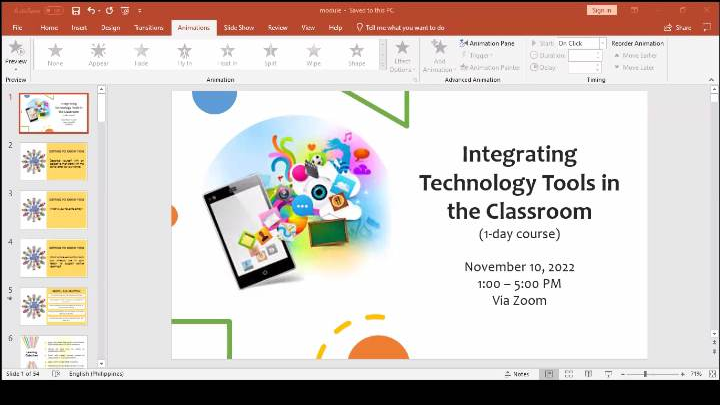
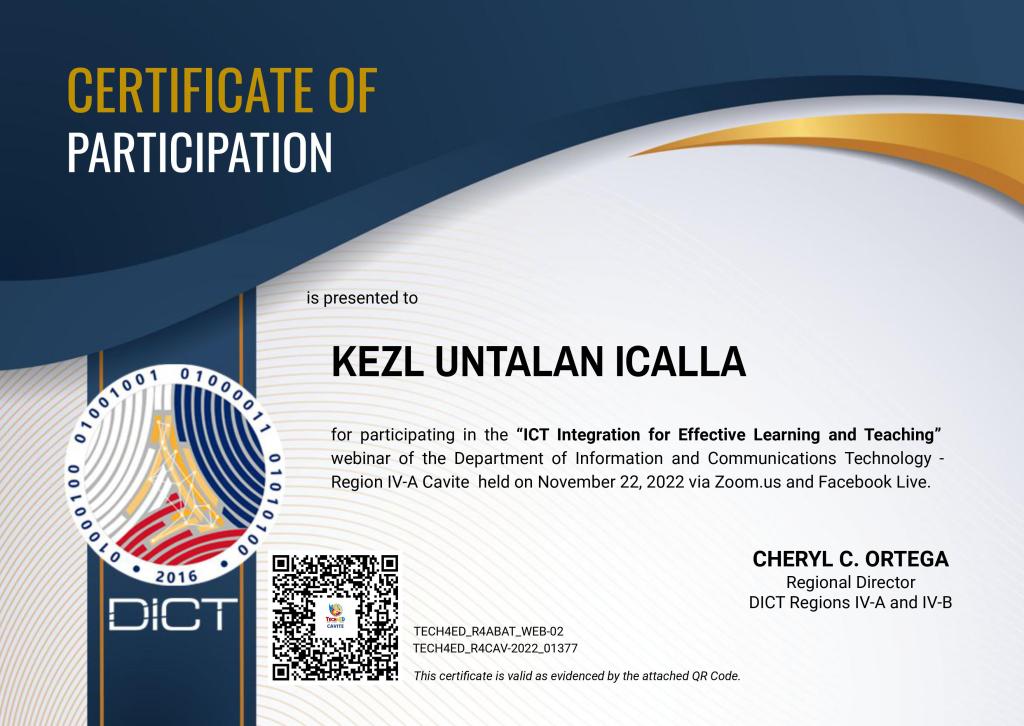
I clearly recall the third week of November of last year, the week following our midterm exam.  Everyone of us are cramming looking for free webinars on the topic of technology for teaching and learning. Thankfully, I was able to find two webinars on Facebook that were slated for November 22 and 24 (my special day hehe). I told my friends and classmates about it. I participated in both webinars (just to be sure), and since I I’d say that they both focused on incorporating technology tools into the classroom.

The whole hours of webinar highlights the importance of integrating technology into the classroom. Integrating technology into the classroom means using digital tools to introduce, reinforce, supplement and extend skills. Thus, it is a parcel of instruction technology. As I’ve learned first hand, integrating technology is not merely about technology but primarily about content and effective instructional practices. By means of this, ICT integration involves not just the development of hardware devices but also the use of software applications, websites, and other types of platforms.

In addition, I discovered new learning platforms like kahoot, quizziz, e-Portfolio, discord, and others that can be utilized in the classroom. The tutorial was a great learning experience for all of us because the speaker went into great detail about how to use these technological tools. In addition, the use of these technological tools has been proven to significantly enhance the quality of education in the classroom, with the greatest impact noted on student engagement, motivation, and overall learning experience. It is something that can be used to supplement traditional classroom instruction.


Indeed, the primary aim of integrating more technology into classrooms is to increase students’ interest and enthusiasm for learning. Evidently, students are more likely to take an active role in their education and maintain a passion for learning when they have access to and use information and communication technologies.